Nov 2025 - Present
Currently discussing implementation with BC Society of Transition Houses!
Designing real-time access to safe housing for survivors of violence

Jae Eun
V
Valeriya
UX Design
Mobile Development
Social Innovation


Transition House Availability Tracker (THAT) app is designed to provide real-time availability of transition houses, which are safe, temporary housing services for individuals fleeing violence. This ongoing project was ideated throughout my volunteer at Port Moody Police Victim Services Unit, then realized as part of Simon Fraser University's Mobile Development course. I anticipate implementing this in actual scenarios, partnering up with BC Society of Transition Houses.
In this project, I have been an UX Designer and Developer, producing wireframes to map out the scenarios and app behaviours, then implementing them with React Native.
React Native
Expo
JavaScript
Figma
SECONDARY RESEARCH
Research revealed that transition house workers are often over-capacity.
According to BC Housing, transition houses are safe, temporary 24/7 staffed housing services for women and children who are at risk of, or who have experienced violence. From 2019, I have been volunteering at Port Moody Police Department Victim Services Unit; for multiple times, Victim Services Caseworkers reported that they have spent an excessive amount of time finding which transition houses are available at the time of crisis, involving an individual fleeing violence.


According to the Victim Services Caseworkers, the transition house availability is inconsistent, necessitating calling each individual facility to check for an open space.
BC Society of Transition Houses' 2023 24-Hour Census Report
68
calls, emails, and texts every hour in average, handled by transition house staff.
50.7%
shelters operated single-staff for between 10 and 24 hours.
As a result of the research, we came up with our problem statement:
How might we create a real-time information system that enables instant search of current transition house availability, thereby eliminating the need for an excessive number of time-consuming phone calls in a crisis?
Who are the target audience and what are their use cases?
I identified two use cases for THAT app displaying real-time transition house availability.
General Public including Victim Services Workers
Reduces time to contact each facility at crisis.
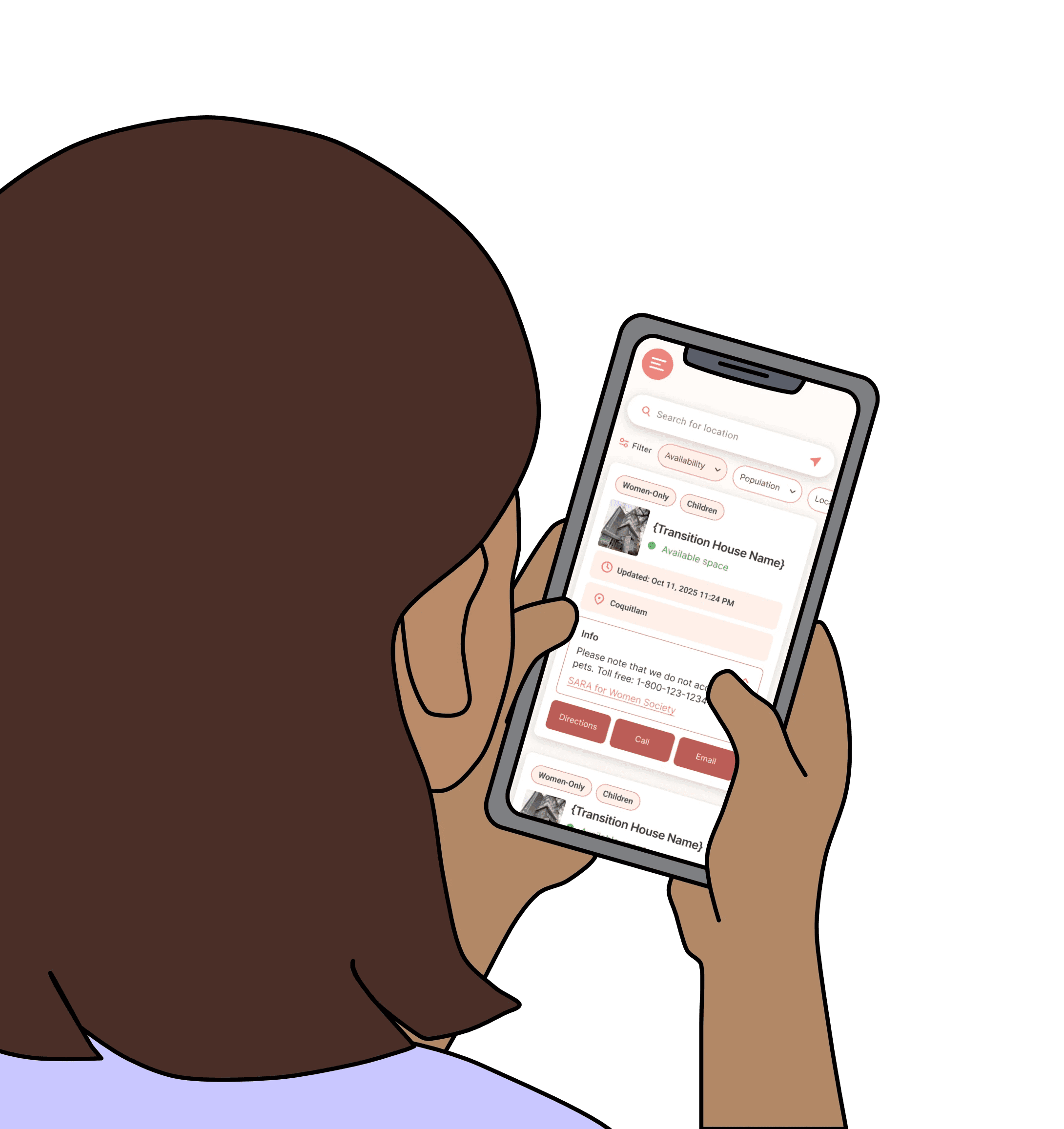
The app displays real-time availability of transition houses, sorted by distance for anyone in public to view.
Victim Services Workers can assist their clients to quickly direct them to the appropriate facility.
Transition House Workers
Reduces resources handling inquiries about availability.
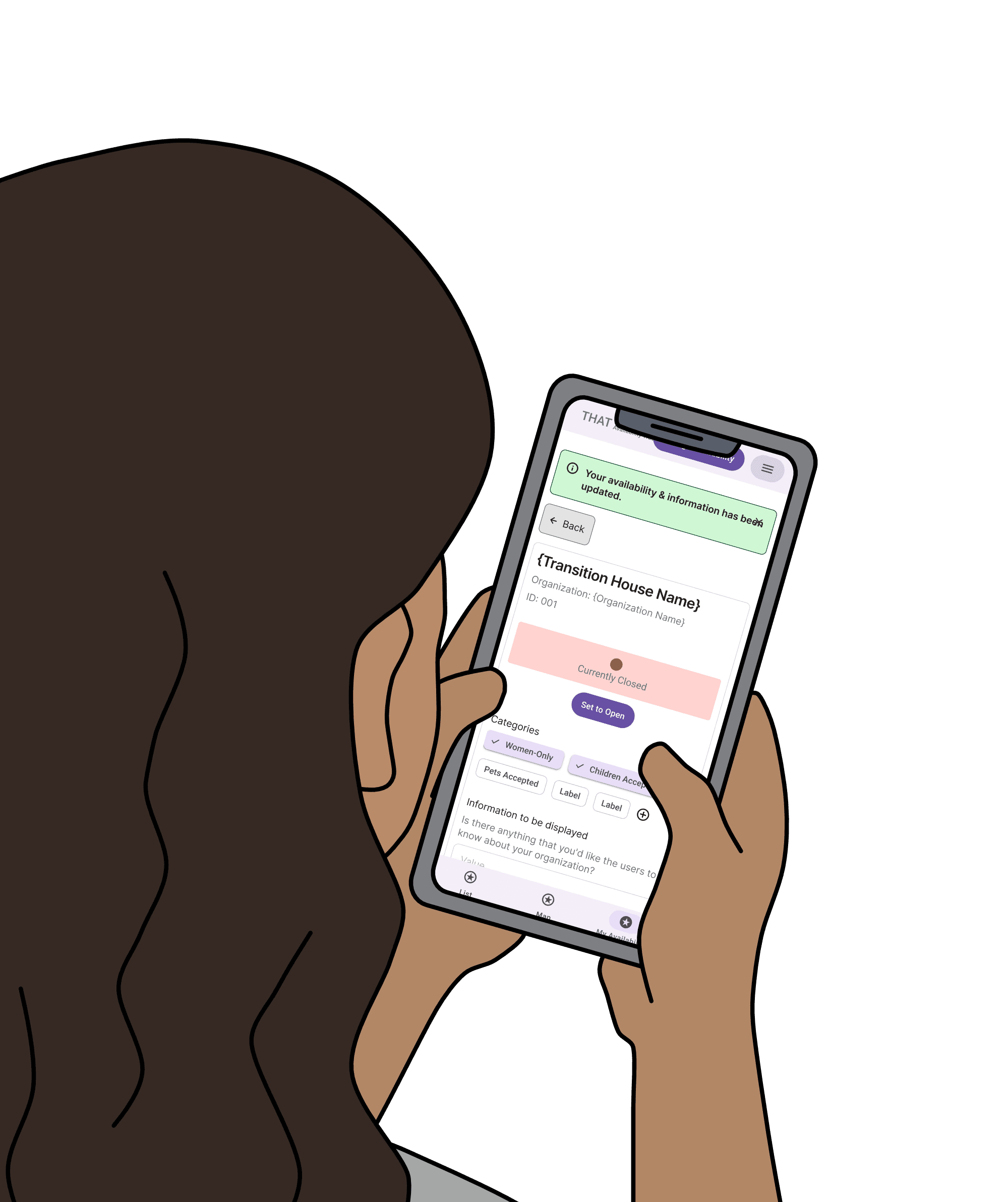
Transition house workers can update their facility's availability status.
The app requires authentification process to confirm the personnel at transition houses.
Narrowing down the focus
Being conscious of the time constraints put on the coursework, we decided to focus on use case #2, for transition house workers.
We started with sketches, followed by wireframing.
Sketches: initial visualization of the idea
Valeriya first produced sketches, which was the first visualization of how the app could look like.
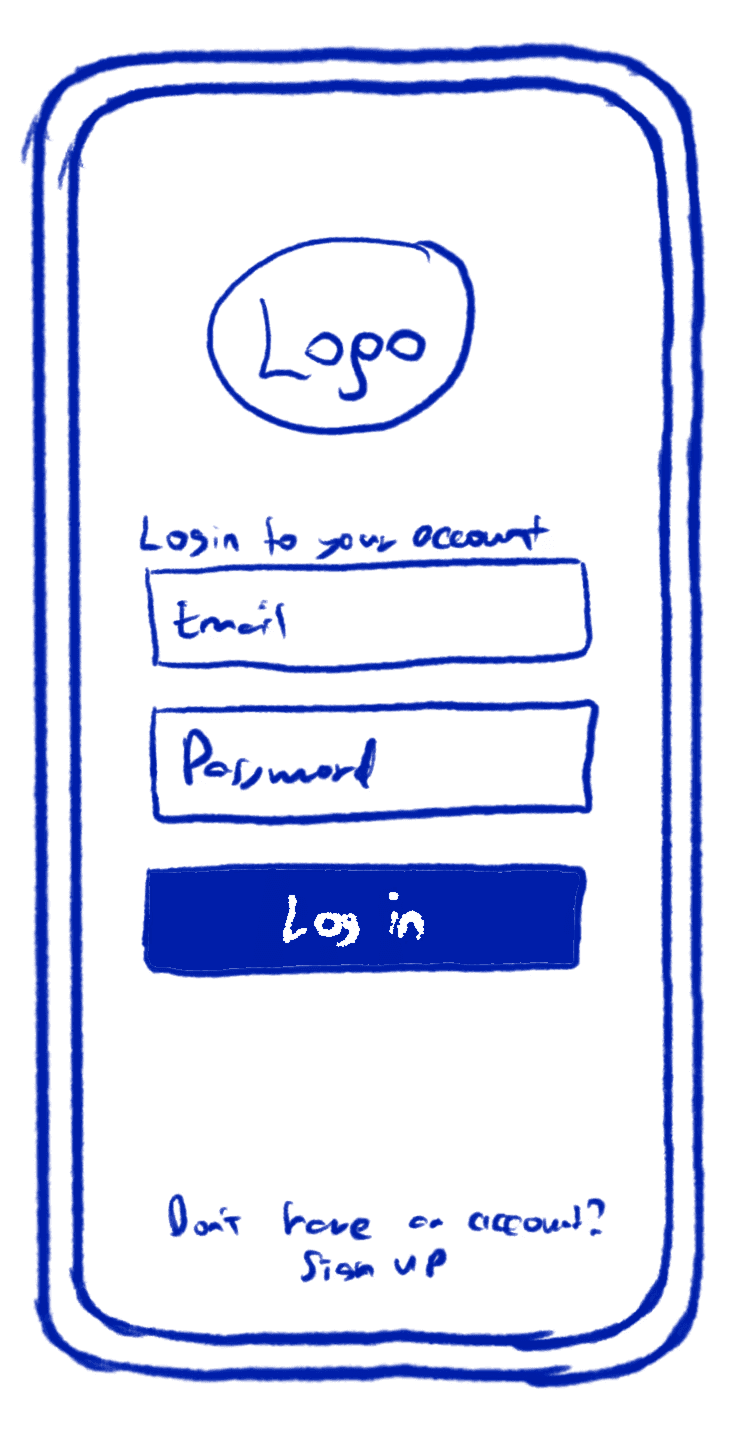
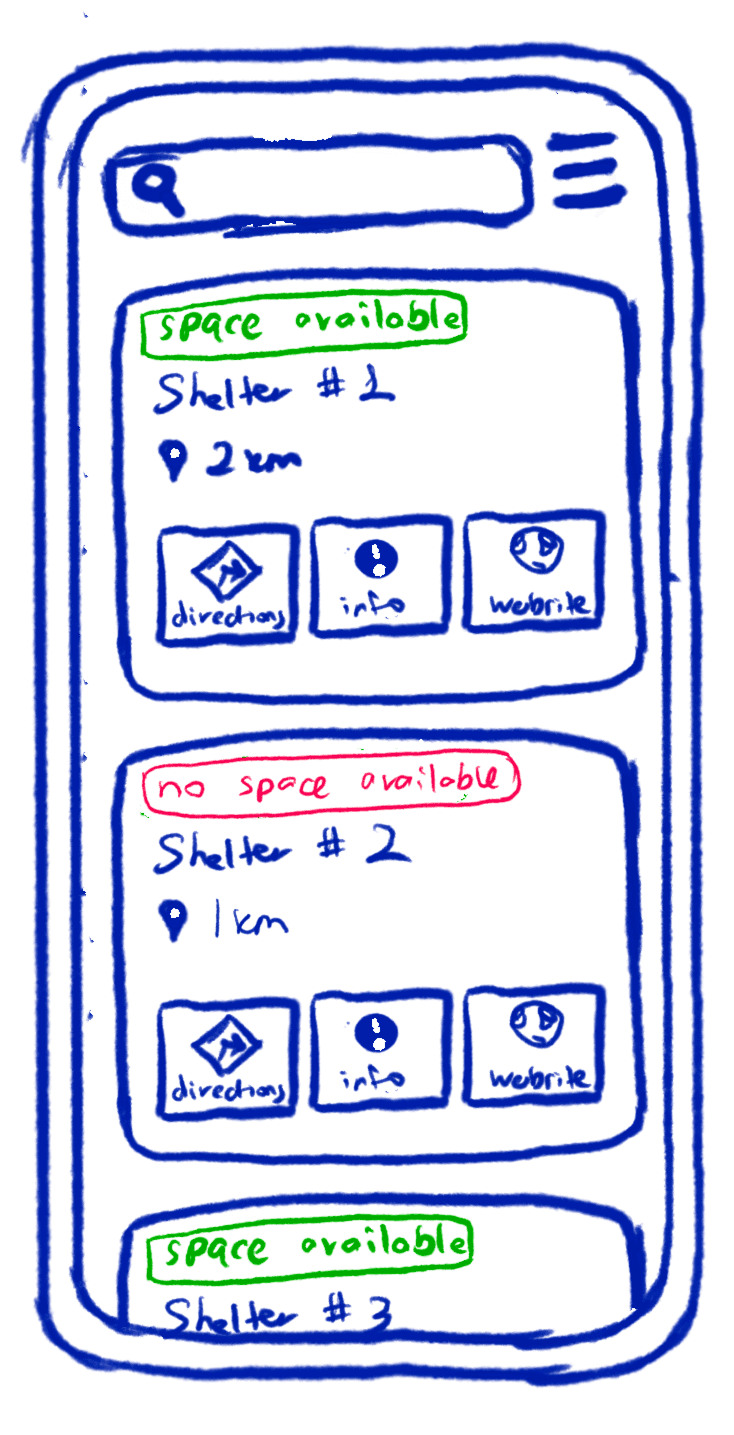
These sketches, drawn by Valeriya, shows our sign-in screen and a tab featuring list of transition houses.
Wireframes: registration
I then developed wireframes, showing how the workflow could look like, starting from sign-in process.
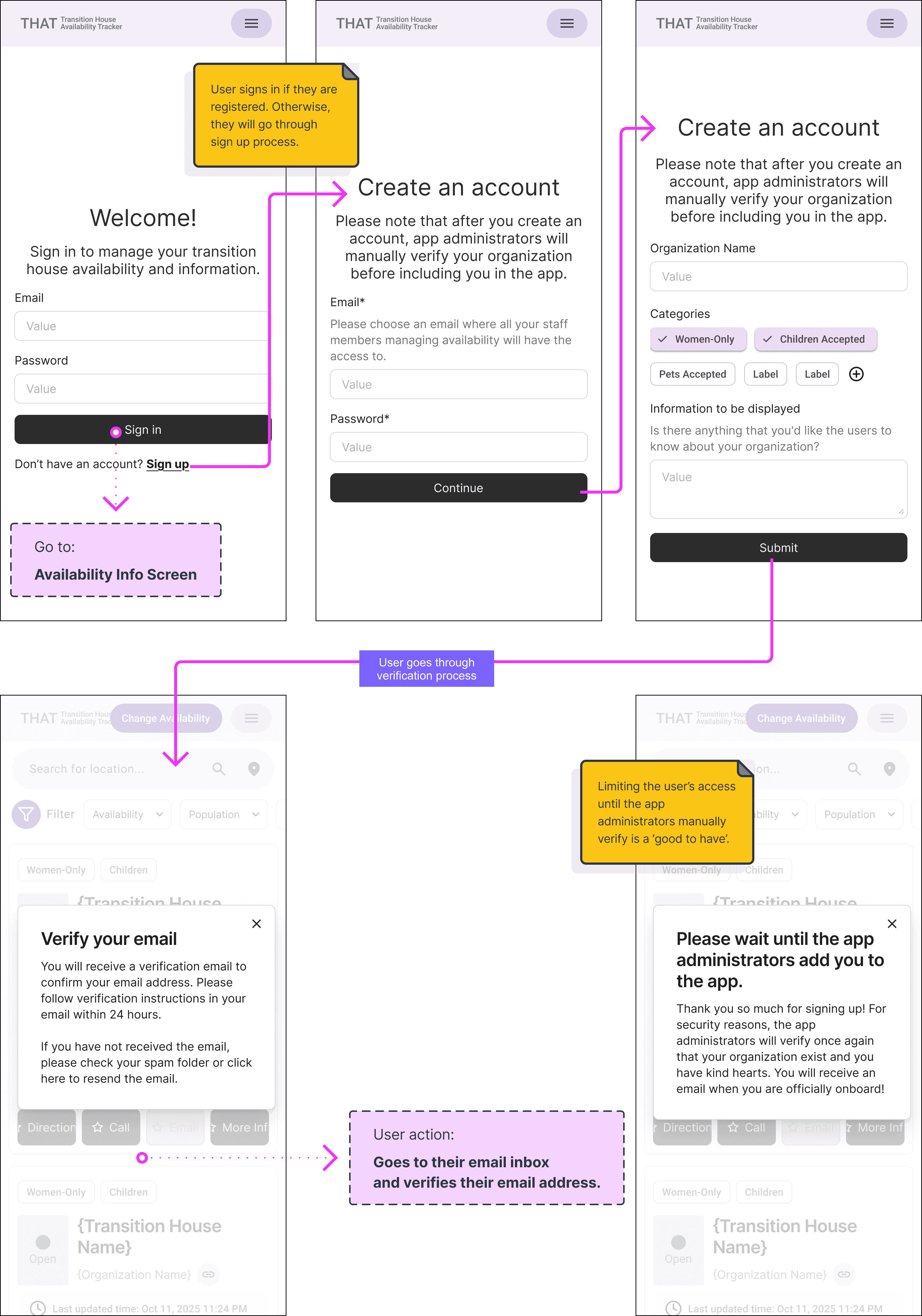
These wireframes show how a transition house worker can register their organization.
They also show the front-end side of authentication process.
Wireframes: viewing and updating availability statuses
Based on sketch #2, I created wireframes of how a transition house worker first views a list of all other facilities' availability statuses, then updates their own facility's status.
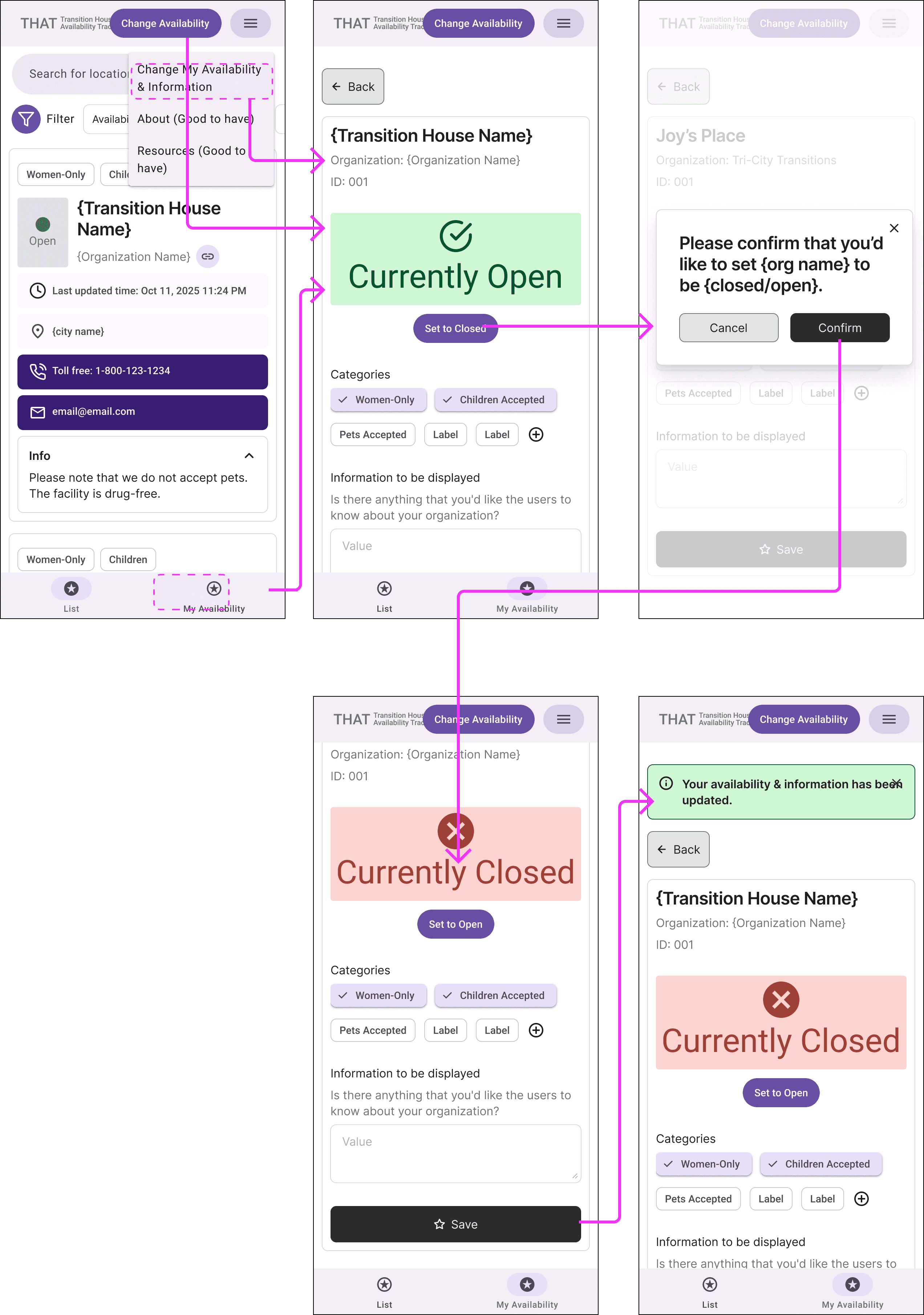
The first screen shows a list of card components, which contains details of each transition house.
From the second screen, the wireframes show the workflow in 'My availability' tab, where a worker can update their facility's availability status.
Referencing Emergency Department Wait Times web app, we added a map feature with Google Maps API, while ensuring complex data storage with Cloud Firestore.
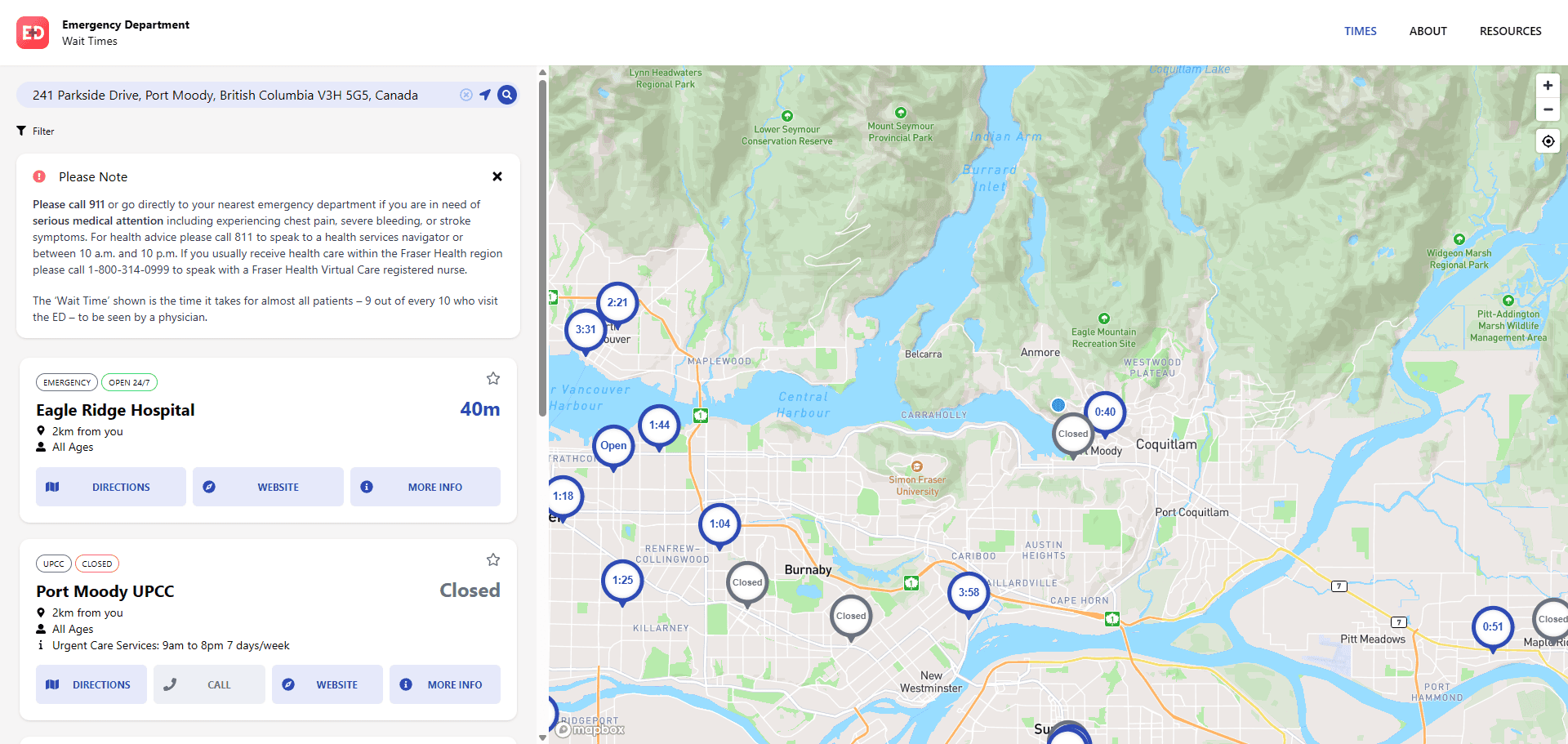
A classmate advised to reference the Emergency Department Wait Times web app for location-based services.
Google Maps API to enhance user experience viewing the list of transition houses nearby
We integrated the Google Maps API to enable map functionality and location-based services. The map feature is central in providing a visual aid, hence decreasing mental load, in geographically locating the facilities.
Why was the map feature necessary?
Based on the conversation with Victim Services Workers, the most likely user scenario was that the users would view the availability statuses of the facilities nearby.
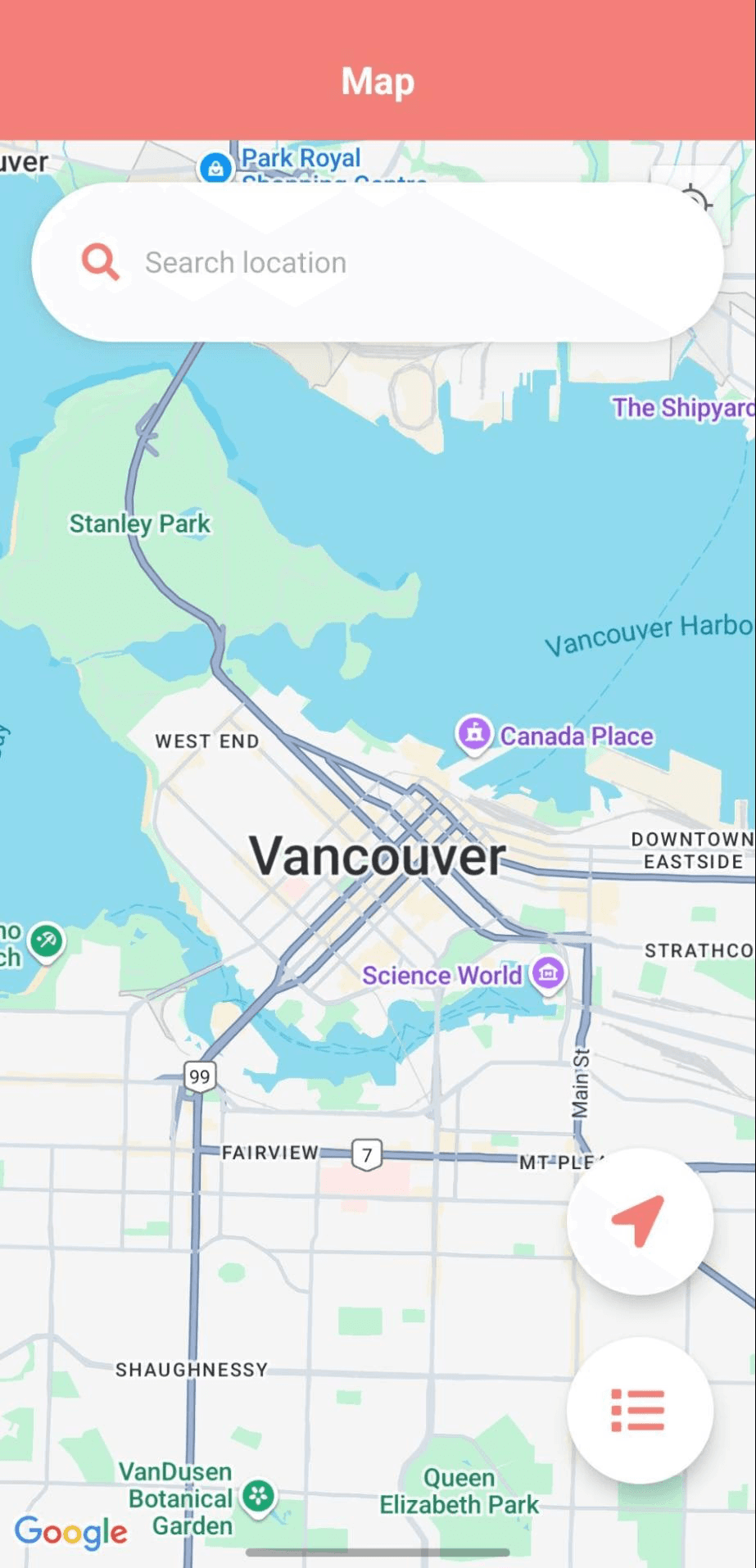
At this stage, we focused on displaying a full-screen map.

This button was for GPS tracking to move the map to the user's current location.

This button switched the view from the map to the list of transition houses.
Cloud Firestore for dynamic data updates
Why Cloud Firestore, no-SQL cloud database?
Creating a database has been crucial for this project, as it involved real-time availability data updates. When we experimented with SQLite, one of the database engine learned during the course, we realized that SQLite only stores data locally. To enable data shared across multiple devices, we used Firestore, as recommended by teaching staff.
BC Housing Website
Google Sheets
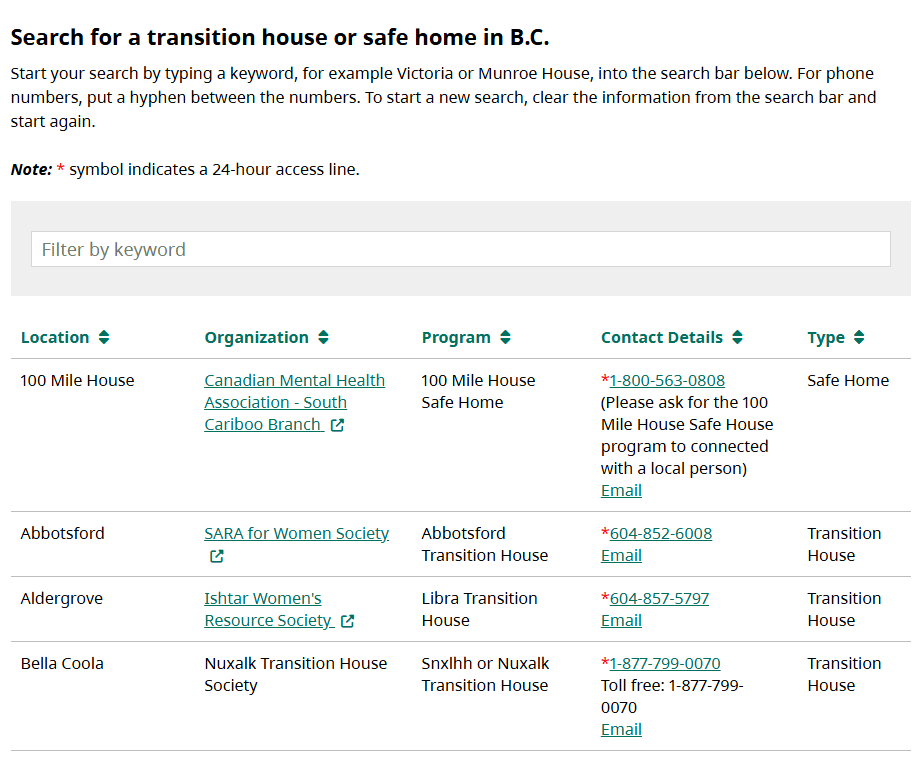
First, I replicated and reorganized data from BC Housing Transition Houses & Safe Homes List into a Google Sheet file. We manually copied and pasted values into appropriate columns.
From the BC Housing website, we obtained key information for each transition house, including city, program name, organization name, and contact information.
During classroom feedback session, we were encouraged to transform contact information as an interactive feature of the app.
After creating a preliminary app with the map and the list of transition houses, we presented the app to our peers and gathered feedback on its usability. When reviewing the list of transition houses, one classmate suggested making contact details interactive, rather than static.
H
Hind
Classmate
"Where can I find the contact information?"
"It is in the collapsible panel in the card component."

Me
H
Hind
Classmate
"It will be a good idea if there is a button, which automatically redirects the user to the phone app."
"That is a good idea! That will eliminate the need to manually copy the number."
Me
"Expanding on that idea, we could integrate some more interactive buttons, not just for the phone number."

Valeriya
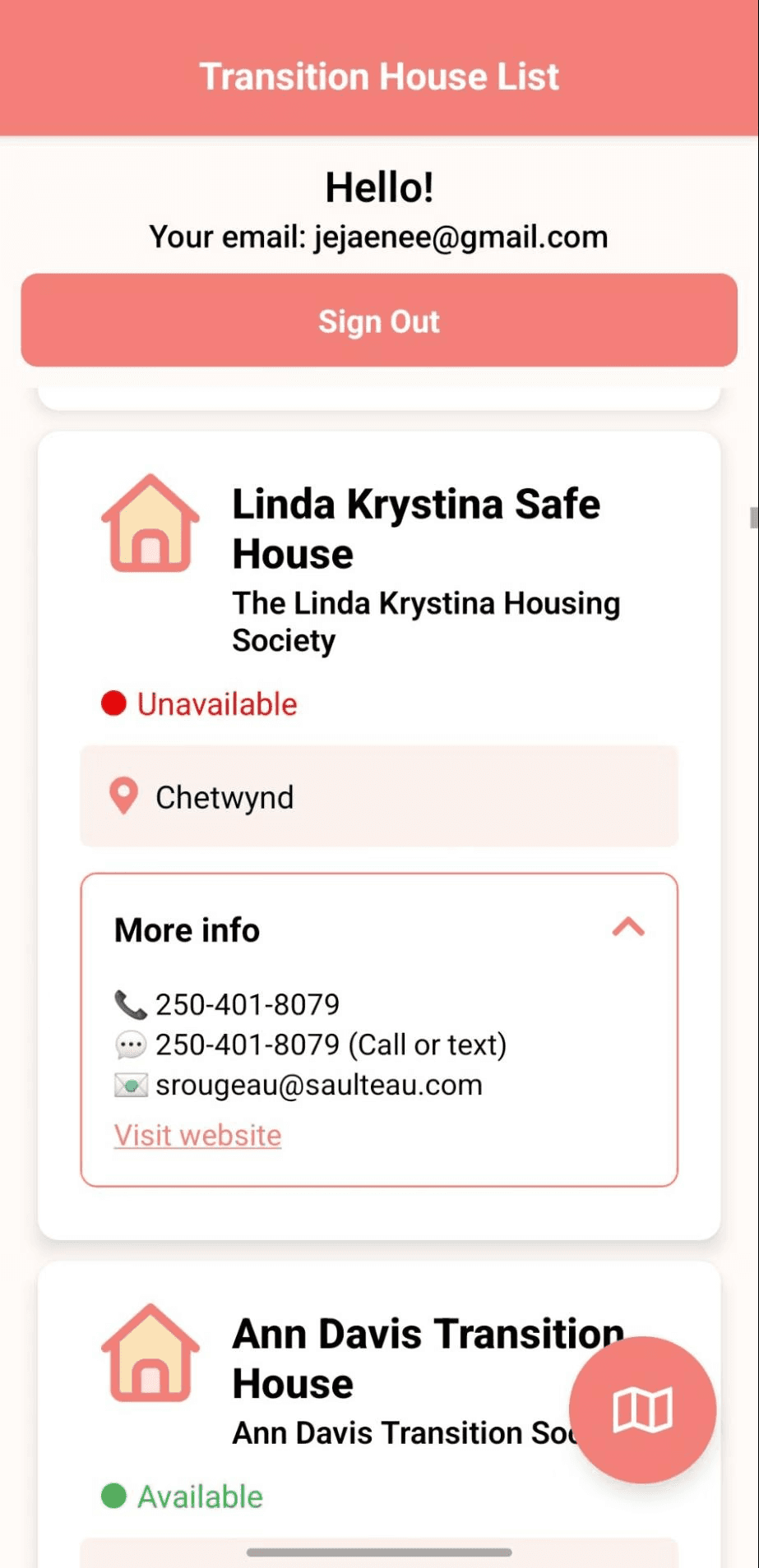
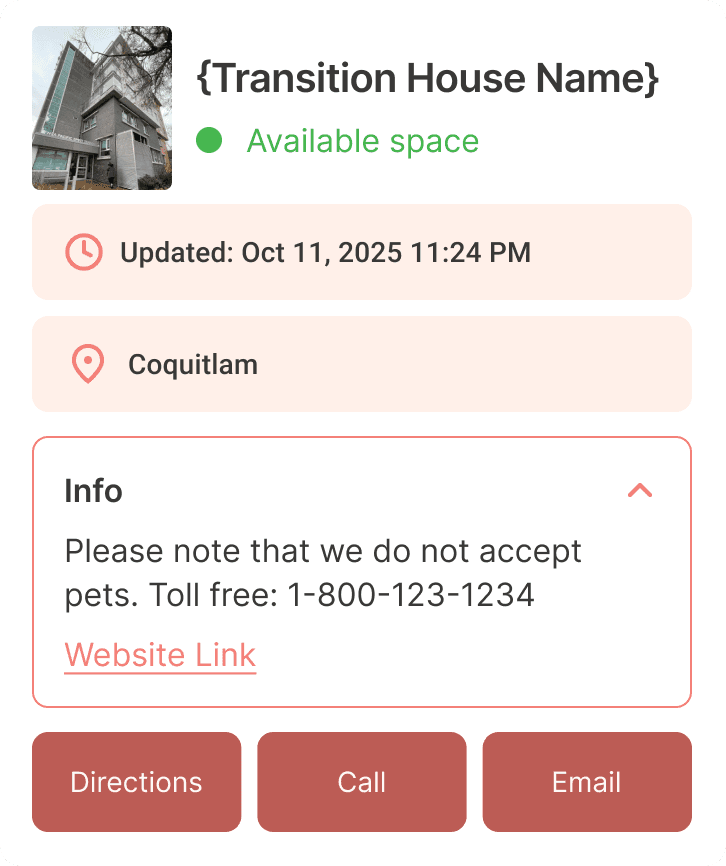
Why adding buttons, while it could create visual clutter?
Based on the feedback, we identified the value of adding interactive buttons to reduce time and effort required to access essential information. This was done to minimize user frustration, while enabling seamless navigation between the resources and the other relevant apps/screens.
We decided on the app architecture to confirm what could be achieved by the end of semester.
We were approching the end of semester after the class feedback session #2. Valeriya and I needed to be realistic and decide on what functions we can implement. Valeriya created an app architecture map, which identifies the key components and its behaviours.
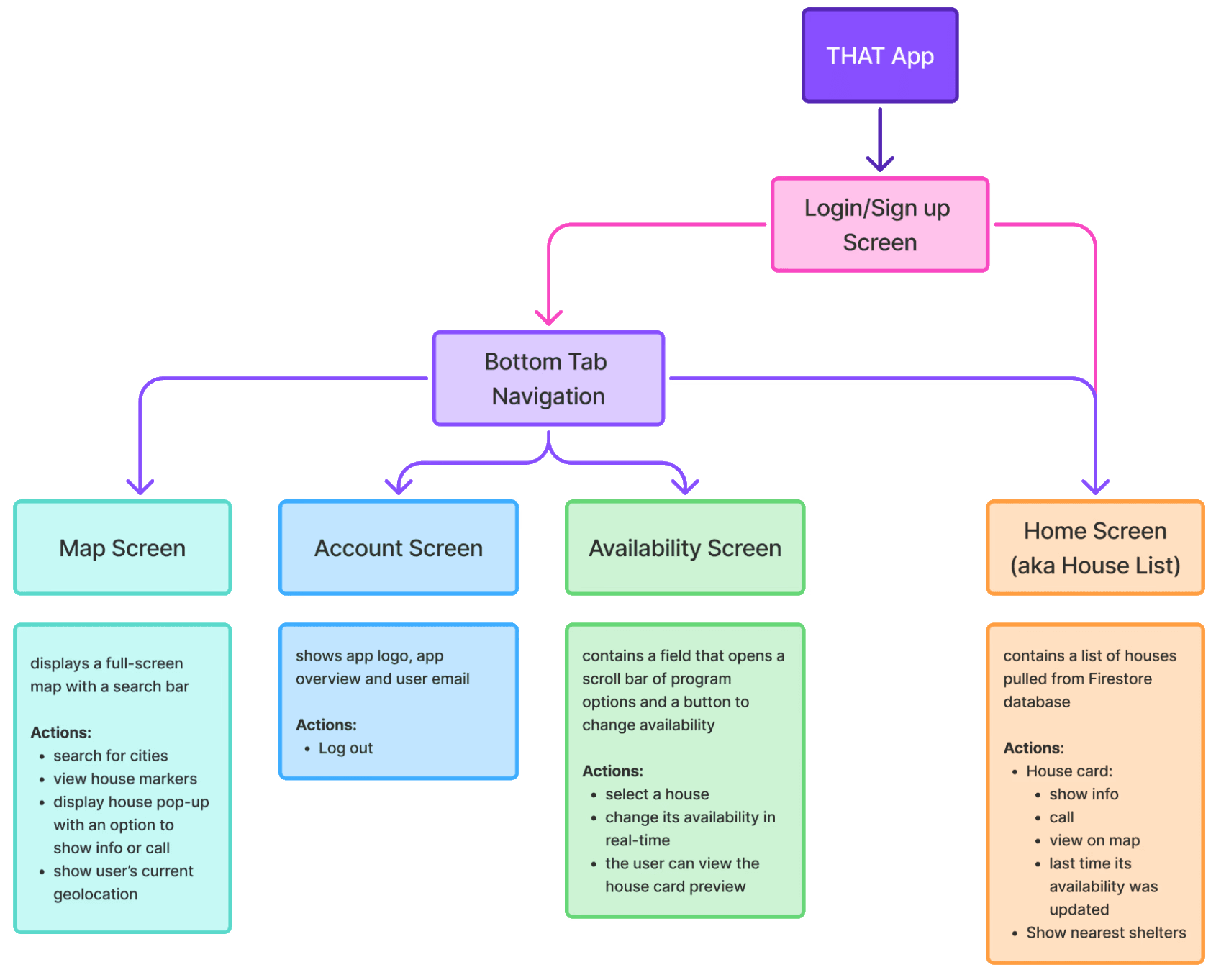
There are 4 main tabs: Availability, House List, Map, and Account.
We enhanced access to critical features, then finalized the app.
Referencing the app architecture map, we coded with React Native and finalize the app functionality.
Click on each button to explore 4 main tabs: Availability, House List, Map, and Account.
House List Tab
Map Tab
Availability Tab
Account Tab
Retrieves data from Firestore, which keeps each facility's information and its real-time availability status in sync across client apps.
Transition House Card Component
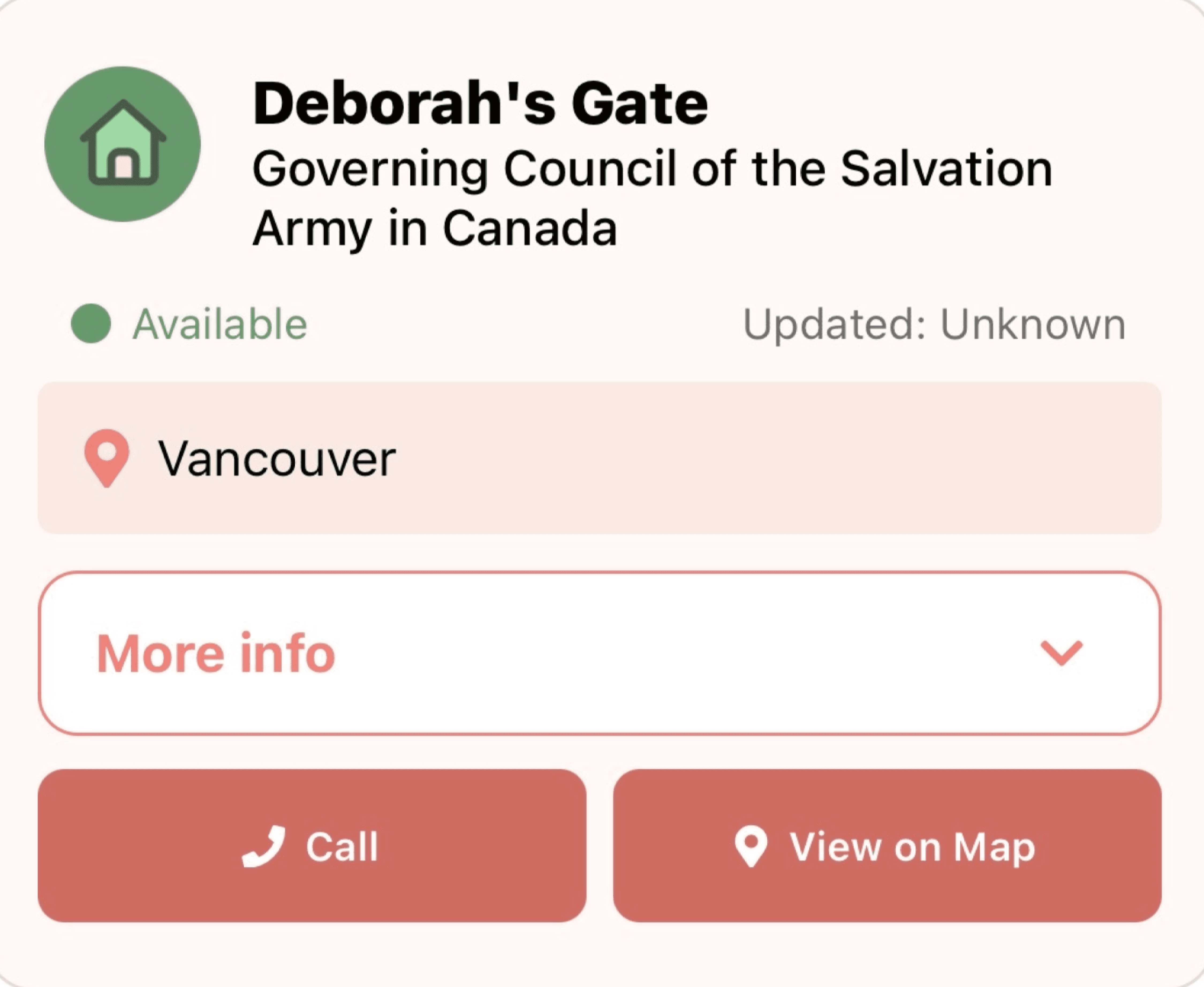
Following the feedback from the classmate, we added buttons that automatically redirect the user the relevant screen/external app.

We added a button that allows users to locate facilities directly on a Map. This enables seamless navigation between the House List and Map views, aiding users become more familiar with the app’s features and structure.
Nearest Location Filter
'Nearest' filter allows users to sort the list of facilities by proximity between facility's approximate GPS coordinate and the user's location.
What did I learn out of the entire project?
Learning: How app components interact with each other matters!
Developing an app encompasses identifying logical flows and relationships between the screens. For example, in this project, Valeriya and I had to plan how the data update in Availability screen flows to other screens. This made me realize how important it is for the designers to map out component interactions and user flows.
Future Plan
I am currently discussing implementation strategies with BC Society of Transition Houses!